
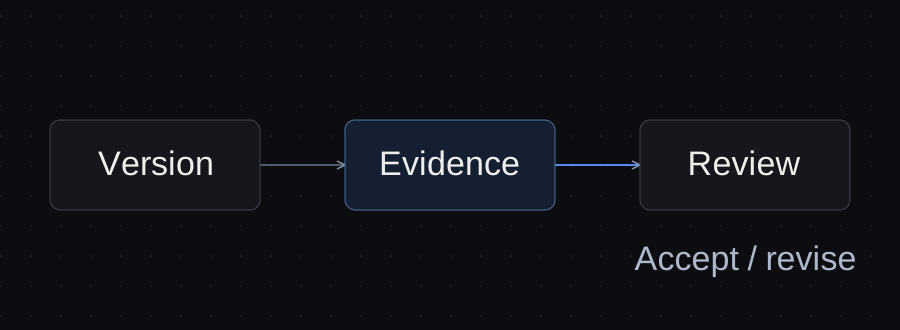
Review an AI-built website against the approved brief, then test the visitor's complete journey. Check links, keyboard controls, narrow layouts and the outcome of each form. Keep automated audit results alongside those observations, and approve a named version only when the remaining limits are clear.
A page can look finished while a callback request never reaches anyone. This checklist helps a small agency or business owner collect evidence before accepting or publishing a website. Use the deliverable review checklist to record the result.
Write down what the website must accomplish
Turn the brief into observable outcomes. For a fictional Northline service business, the requirements are: visitors can open Services, request a callback, use the menu with a keyboard and read the page on a narrow screen. A successful request must reach an approved test destination.
Record the URL, build or deployment identifier, review date, browser and intended next action. A local preview, a production deployment and a screenshot can represent different versions. Keep the approved client brief beside the review.
Use automated checks to find specific problems
Lighthouse runs automated audits across several quality categories. Its report is evidence about the page and conditions it tested. Record the report date, URL and device configuration; follow up on failed audits.
Also check internal links and response codes. A broken service page matters even if the homepage loads quickly. Confirm titles, canonical URLs and public indexing settings on each important route. A locally successful link check does not verify production routing.
Do not turn a score into acceptance of the client's entire brief. An audit does not know which inbox should receive a callback or whether the offer matches the client's approved price. Those require separate evidence.
Follow every important action to its result
For each form, use permitted fictional data and an approved test destination. Check missing required fields, invalid input, one valid submission and the result at the receiving system. Keep the record identifier or receipt, with private details removed from anything shared publicly.
A visible confirmation proves that a message appeared. It does not prove delivery. If the destination cannot be inspected, record delivery as unverified. Agree how test records will be identified and handled before testing a real service.
For links and downloads, open the target and inspect its contents. Check that a downloaded template is the advertised version, rather than merely confirming that a button changes colour.
Test keyboard controls and a narrow layout
Starting near the top of the page, use Tab and Shift+Tab to reach important controls. Look for a visible focus indicator. Activate buttons and links using their normal keyboard interaction, and check whether an open menu can be dismissed. A clickable object that the keyboard skips needs investigation.
At a narrow viewport, inspect the navigation, text, form and confirmation. Record the actual viewport reported by the browser as well as the requested emulation size. Check for page-wide horizontal scrolling; intentional scrolling inside a data table is a different case.
The W3C Easy Checks include practical accessibility checks and explain their limits. A short keyboard review and one emulated viewport do not establish accessibility conformance or physical-phone compatibility.
Worked example: four deliberately seeded defects
On October 13, 2026, we reviewed a small, locally served Northline fixture containing intentional defects. It was written for this exercise, not generated by an evaluated AI model or used by a real client. No request was sent to an external service.
| Check | Observed evidence | Review decision |
|---|---|---|
| Services link | An automated HTTP check returned 404 for /missing-services/. |
Fail: the required destination is absent. |
| Callback form | The browser showed “Request received” after synthetic input. The fixture's submit handler only prevents submission and reveals that message; it has no delivery integration. | Fail against the brief: callback delivery is missing. |
| Menu with keyboard | Pressing Tab from Services moved directly to the email input. The mouse-only menu element had a tab index of -1. | Fail: the required menu is skipped. |
| Narrow layout | The browser reported a 488 px client width and an 874 px document width, with clipped content and horizontal scrolling visible. | Fail: the fixed-width main content overflows. |
The automated check also confirmed that the email input declared an email type and a required attribute. That passing markup check did not establish that a request would be delivered. Browser interaction exposed the visible success message; reading the local handler established what it actually did.
The viewport override requested 390 × 844, but the browser reported 488 px internally. We therefore report the measured width, not a verified 390 px breakpoint. No Lighthouse audit, screen-reader test, physical-device test or remediation retest was performed on this fixture. The example demonstrates these four review methods; it does not compare AI models or quantify defect rates.
Record acceptance against the exact version
Use the website module in the review checklist. Give each finding an expected result, observed result, evidence, owner and next action.
For the example, the decision is needs revision. The next work is to restore the missing route, implement and test delivery, replace the mouse-only control with a suitable keyboard-operable control and correct the fixed-width layout. Recheck the changed journey on the revised version. This exercise has not performed those fixes.
For a real client, unresolved delivery, wrong commercial terms or exposed private information should block acceptance of the affected outcome. A harmless cosmetic difference may instead be accepted explicitly by the reviewer. Keep the rationale in the deliverable review record and pass the current state through a project handoff.
Common questions
Is a Lighthouse score of 100 enough to launch?
It supports the categories and conditions audited. You still need to verify the approved content, complete business actions and deployment-specific behaviour. Keep both kinds of evidence in the review.
Can an AI agent perform the review?
An agent with suitable tools can collect observations and propose fixes. Give it the brief, permitted test data and exact version. Assess the evidence it returns; a claim that everything works is insufficient. This example used browser automation and an HTTP checker, not an independent agent evaluation.
Does index,follow mean Google has indexed the page?
No. It allows indexing but does not establish inclusion. Use Search Console's URL Inspection report to check the indexed state. Its live test answers a different question: whether Google can access the current page. Google's recrawl guidance explains the request process and its limits.
Sources and limits
Primary documentation read October 13, 2026: Chrome's Lighthouse overview, W3C's preliminary accessibility checks and Google's recrawl guidance. The local exercise used synthetic data and deliberate faults. It provides no customer outcome, accessibility certification, delivery receipt or performance score.
Sources and verification
Primary documentation was read on October 13, 2026. A local synthetic fixture was checked using HTTP, browser form interaction, keyboard navigation and a narrow viewport. Four deliberate faults were found. No Lighthouse fixture audit, physical-device test, accessibility conformance claim or remediation retest is made.
Templates, without the signup.
Fill these from the actual files and decisions. A written boundary does not enforce access control.