
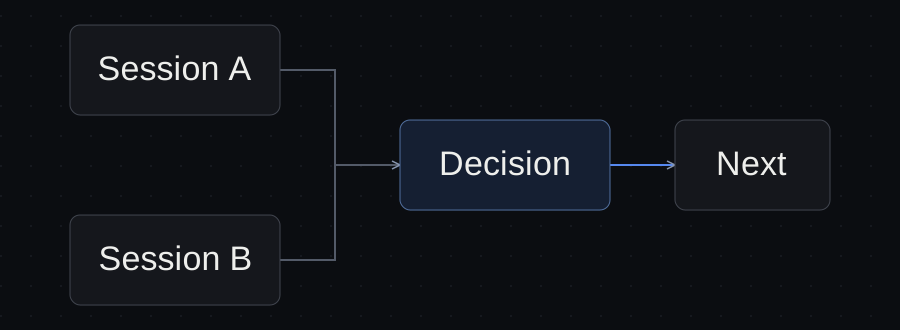
The difficult part of running several AI agents is deciding which one needs your attention next.
One session is drafting a proposal. Another has finished a page. A third is waiting for a decision you have not noticed. All three may look like progress until you need to send something to a client.
To manage multiple Claude Code sessions, give each session a specific deliverable, keep a short record of its state, and separate an agent finishing from a person accepting the result. For client work, that record also needs to identify the client and the materials the agent is allowed to use.
You can start with a document or a small table. The useful part is the information you can act on.
Organize around deliverables
“Work on the website” is difficult to track. “Draft the Services page using the approved brief” gives the session a purpose and an end condition.
Use a name that contains the client, task and stage:
Northline — Services page — draft
That name helps you return to the right work. It also makes an unsuitable session easier to spot before you paste feedback into it.
Claude Code supports naming and resuming sessions through its CLI and interactive controls. Those features make conversations easier to find; they do not replace a record of which output you have reviewed. Claude Code session documentation.
You do not need a fresh session for every small correction. If the agent is still working on the same deliverable with the same inputs, continuing the conversation can be simpler. Split the work when the task, source material, ownership or review decision changes enough to justify a separate record.
Keep the task state separate from the conversation state
An agent can stop talking while the task remains unfinished. It can also produce a complete draft that still needs your review.
A useful task record answers five questions:
| Question | What to record |
|---|---|
| What is this work? | Client, project and deliverable |
| Where does it happen? | Session name and relevant working location |
| What is its current state? | Working, needs input, ready for review, blocked or accepted |
| What should happen next? | A concrete action and the person responsible |
| Where is the evidence? | The output and the check that supports its state |
“Ready for review” means an output exists. “Accepted” means the relevant person has checked it against the brief. If your tool only exposes an agent’s runtime status, keep the acceptance decision elsewhere.
A worked example with two clients
Northline and Cedar are fictional clients. This example illustrates the workflow; it is not a report of measured results.
Northline needs a five-page website proposal. Cedar needs campaign copy. Here is a useful view of the work:
| Client and task | State | Output or evidence | Next action |
|---|---|---|---|
| Northline — proposal | Needs input | Draft excludes an embedded booking system | Owner confirms whether a booking link is enough |
| Northline — Services page | Ready for review | Draft uses the approved service list | Owner checks the offer and unsupported claims |
| Cedar — ad copy | Blocked | Approved offer wording is missing | Owner asks Cedar for the wording |
This table changes what you do next. The proposal needs a decision. The page needs inspection. The ads need an input the agent cannot invent.
Starting another Cedar session will not provide the missing offer. Asking Northline’s proposal agent to “keep going” without answering the booking question risks silently changing the scope.
Record questions as decisions someone can make
“Waiting for feedback” hides the actual problem.
Make the question specific:
Northline: should the Contact page link to the existing booking service, or should the proposal include building a new booking flow?
Then record who can answer and which task depends on the answer. Keep a requested decision distinct from an approved decision.
For a solo freelancer, you may be the person who translates the question for the client. Your task record should still show that the client owns the underlying choice. Otherwise, a paused agent can become a source of accidental scope decisions.
Give parallel work a clear boundary
Different sessions can still edit the same files. For coding work in the same repository, Claude Code documents Git worktrees as separate working copies for parallel tasks. They help avoid direct editing collisions, but the branches still need review and integration. Claude Code worktree documentation.
For writing work, the same principle can be simpler: assign different output files, identify which material is authoritative, and name who combines the drafts.
For example:
- The proposal session owns
proposal-draft.md. - The page-copy session owns
services-draft.md. - The owner updates the approved project brief after a decision.
Those paths are illustrative. A folder name and a prompt do not enforce access control. If work must be isolated between clients, configure the relevant permissions and environment rather than relying on a label.
Review outputs before starting more work
A draft is useful when someone can inspect it. Ask the agent to end with the location of the output, the checks performed and the questions still open.
For Northline’s Services page, your review could ask:
- Does every service appear in the approved brief?
- Has the agent introduced a price, guarantee or result the client did not provide?
- Does the draft fit the intended page and next action?
- Which statements still need a source or approval?
An automated check can help where there is a clear condition, but passing it does not settle every judgment. Anthropic’s guidance recommends giving Claude a way to verify its work. Our addition for client delivery is to identify which checks belong to the agent and which decision still belongs to a person. Claude Code best practices.
Decide what deserves your attention
At a stopping point, review the table before opening another session:
- Answer questions that unblock useful work.
- Inspect outputs that are ready for review.
- Follow up on missing inputs.
- Leave working sessions alone unless their scope has changed.
This order is a starting convention, not a universal priority rule. A client deadline or a high-risk change may take precedence. The point is to make that choice deliberately, using a visible next action.
There is no ideal number of concurrent sessions for every freelancer. Add a session when the work can proceed independently and you can still inspect its result. If the review queue keeps growing, reduce active work until you can complete the unfinished decisions.
Before you close the day
For each active deliverable, leave its current state, output location, unresolved question and next action. Do not write a long recap of every prompt.
Tomorrow, you should be able to identify the client, open the correct result and understand what remains to be done without searching every conversation.
That is the useful test of session management: whether you can make the next decision and move a client’s work forward.
Sources and verification
Primary documentation linked in this guide was read on October 10, 2026. Provider instructions describe documented behavior; the illustrated client workflow has not been tested with a live agent. Check current account rules before relying on them.
Templates, without the signup.
Fill these from the actual files and decisions. A written boundary does not enforce access control.