
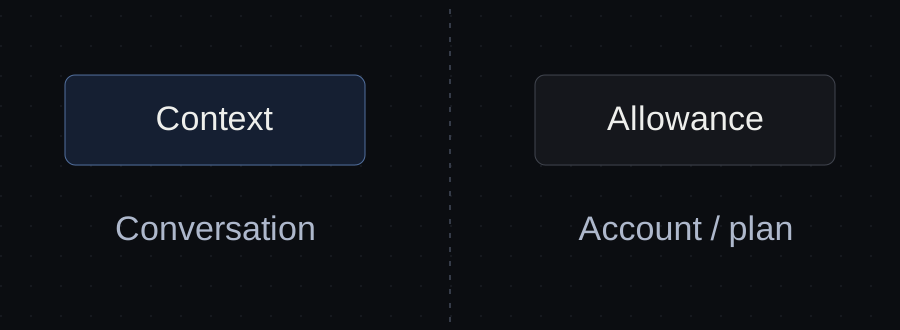
A context warning and a usage limit can interrupt the same project for different reasons. One concerns the information carried in a conversation. The other concerns how much model use your account allows over a period of time.
That difference determines what to do next. Summarizing a conversation can help manage context; it does not reset an account’s usage allowance. Opening another chat does not turn a plan limit into a new budget.
Before changing your workflow, read the actual message and identify which limit it describes.
What each limit means
| Limit | What it concerns | What to check first |
|---|---|---|
| Context window | The information a model can process within a conversation | Context or compaction message, relevant history and loaded material |
| Usage allowance | Model use over the periods defined by your plan | Account usage message, allowance and reset information |
| Workspace or device problem | Whether your working environment can continue | Connection, agent process and availability of the project |
Anthropic distinguishes usage limits from conversation length limits in its help documentation. The available context depends on the model, while usage depends on the account and plan. Check the current documentation rather than relying on an old message-count estimate. Claude usage and length limits.
The third row is a practical diagnostic distinction: a disconnected computer or unavailable working file needs a different investigation. Do not assume every stopped task is a model limit.
If the message concerns context
A long-running task can accumulate old drafts, tool output, abandoned directions and repeated instructions. Some of that material may still matter. Some may only make the current task harder to follow.
First preserve the state of the work: the latest output, approved decisions, open questions and next action. Then decide which conversation material is still needed.
Claude Code documents context management through compaction and recommends keeping unrelated tasks out of the same conversation. Its /compact command accepts an instruction about what to preserve. This is context management, not a reset of subscription usage. Claude Code cost and context guidance.
For a proposal, an instruction could ask the summary to retain the approved page list, booking decision, current draft location and unresolved client questions. That is more specific than asking it to “remember everything important.”
Inspect the result before continuing. A concise summary can still lose a detail, so the approved scope should also be available in the project material.
If the message concerns usage
Check the account’s actual usage information and the options available under its current plan. Waiting for the relevant reset may be appropriate. Additional paid usage may be an option, but it requires a cost decision rather than an assumption that the work is free to continue.
Anthropic’s Claude Code help distinguishes account usage messages from context warnings and explains how plan-based and API-based use differ. Models, usage and limits in Claude Code.
Do not respond to a usage limit by deleting project files or repeatedly restarting the conversation. Neither creates additional account allowance. Preserve the task state so that a later return does not require reconstructing the work.
Avoid treating a fixed number of messages as a dependable budget. The work inside those messages varies: reading large files, producing output and using tools can make apparently similar sessions consume different amounts.
Two interruptions in the same project
Consider a fictional Northline website proposal. The draft is prepared, but the Contact section still needs checking against the approved booking scope.
Interruption A: the session reports a context-management issue after a long discussion. Preserve the booking decision and current draft, manage the conversation context, then confirm that the next step is still the Contact review.
Interruption B: the account reports a usage limit. Record the same project state, check the account’s available options and resume when authorized use is available. A new Northline conversation is not a new subscription allowance.
The project handoff is similar in both situations. The remedy for the interruption is different.
A context meter is not an account meter
If an app displays context use, that number describes a conversation or model context measure. It should not be read as “percentage of my monthly subscription left.”
Likewise, an app’s own subscription does not automatically include or enlarge the allowance of a separate AI provider. Check which service charges for the workspace, which supplies the model and which account pays for the work.
This matters when choosing a tool to manage several agents. More visible sessions can make work easier to follow, but the interface does not create unlimited provider usage.
What to save before stopping
Leave a short note with:
- The current output and its location.
- The decisions that must survive the interruption.
- The exact open question or next check.
- The work that is still unreviewed.
- Whether the blocker is context, usage or the working environment.
That record turns “the agent stopped” into a situation you can act on. It also keeps a technical interruption from silently becoming a project decision.
Common questions
Does starting a new chat reset my usage limit?
No. Starting a new conversation does not reset the allowance of the same provider account and plan. Confirm which account and billing method your tool is using.
Does compaction preserve every detail?
Do not treat a summary as an exact archive. Keep critical decisions and outputs in accessible project material, and inspect what the continuing session understands.
Can more parallel sessions finish the work before a limit?
Parallelism changes when work happens. Whether it helps depends on the tasks, review capacity and the allowance available. It is not a way to bypass the provider’s limits.
Should I memorize the current token limits?
For a practical decision, check the model and account information that applies now. Understanding the difference between context, usage and project state is more durable than a number that may change.
Sources and verification
Primary documentation linked in this guide was read on October 10, 2026. Provider instructions describe documented behavior; the illustrated client workflow has not been tested with a live agent. Check current account rules before relying on them.
Templates, without the signup.
Fill these from the actual files and decisions. A written boundary does not enforce access control.