
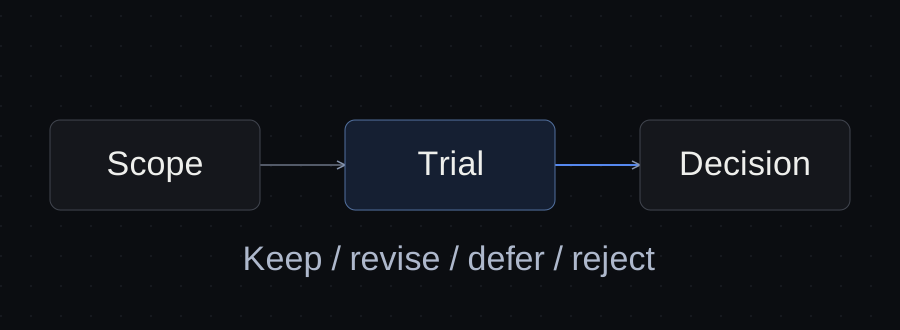
Evaluate a skill against one task, one expected output and the tools you actually use. Read its instructions and supporting files, check its license and dependencies, then compare a small trial with the same task done using a plain request. Keep it only when the result justifies the extra setup.
A skill that sounds useful can still be unnecessary for your project. This guide gives you a decision process, two worked candidate reviews and an evaluation card you can download.
Define the result before choosing a skill
Start with a sentence you can check: “Create a Word proposal from this approved brief, preserving the scope, price and payment terms.” That is more useful than “Improve document quality.”
For a fictional Northline proposal, the acceptance criteria could be:
- Include Home, Services and Contact pages.
- Link to the existing booking service; do not promise a custom booking system.
- Preserve the price of £1,800 and the 50% deposit.
- Identify missing source information rather than inventing it.
- Save a reviewable draft; sending it to the client requires a separate decision.
First try a clear request with the approved brief. If that produces the result reliably enough for your needs, you may have no reason to add a skill. The skills, MCP and project instructions guide explains which mechanism addresses which problem.
Read the whole workflow before making it available
Open SKILL.md, then follow the references to scripts, templates and other instructions used by your task. A short entry file can delegate important actions to a much larger package.
The Agent Skills specification describes a directory containing a manifest and optional supporting resources. Matching that format establishes structure; it does not establish that the procedure works in your environment.
Record the answers to these questions:
| Check | Evidence to look for | Decision it supports |
|---|---|---|
| Task fit | Specific input, steps and output | Does this address your observed problem? |
| Invocation | Description of when it should be used | Will it be selected for the right request? |
| Actions | Commands, file changes and external calls | Are those actions within your approved task? |
| Dependencies | Programs, libraries, accounts and services | Can your environment actually run it? |
| Verification | Output checks and handling of missing inputs | How would you notice an incomplete result? |
| Maintenance | Named source revision and review date | Can you reproduce and reassess the choice? |
Distinguish reading a local file from uploading it, creating a draft from sending it, and rendering a document from approving its contents. Instructions describing an action do not supply credentials or authorize that action.
Check the host and the license separately
A compatible SKILL.md does not guarantee that every referenced command, plugin feature or integration is supported by your agent. Check the intended host, paths and available tools. A dependency described as preinstalled by the author may still be absent on your computer.
Read the license for the particular skill and its bundled assets. Repository-level terms may not cover every subdirectory in the same way. If the intended use is unclear, resolve that before distributing it in a client package. This guide does not grant permission to redistribute third-party material.
Keep a source URL and commit or release identifier in your private evaluation card. A moving main branch is a discovery link, not a reproducible version.
Two candidate reviews for the same task
These are documentation reviews performed on October 12, 2026. Northline and the brief are fictional. Neither candidate was installed or run in this review; the decisions below concern task fit and readiness for a trial.
Candidate A: Anthropic's docx skill
The public docx instructions address Word document creation, editing and reading. They specify document tooling and include rendering and output inspection. The skill identifies separate license terms in its LICENSE.txt.
Fit: relevant when the required deliverable is a Word proposal and the recurring problem is document construction or layout. It does not establish that the price or scope matches the client's approved brief; those need separate checks.
Next decision: shortlist for a controlled trial after confirming the license, source revision and availability of the required tools. A documentation review is insufficient to approve it for client work.
Candidate B: Anthropic's frontend-design skill
The public frontend-design instructions focus on visual direction and building or reshaping interfaces.
Fit: unnecessary for the current task of preparing a Word proposal. The fact that the proposal concerns a website does not turn document preparation into interface design.
Decision: do not add it for this task. Reconsider it when the approved task is to design an interface. This is a scope decision, not a claim that the skill has poor quality.
| Candidate | Reviewed evidence | Current decision | Still unverified |
|---|---|---|---|
| docx | Instructions and separate license file | Shortlist for a Word-document trial | Host setup, execution and improvement over baseline |
| frontend-design | Instructions | Reject for this Word-proposal task | Runtime quality; no trial needed for the present scope |
Test the right request and a request that should not trigger it
Use synthetic data and a separate trial folder. Keep the same brief, model, settings and available tools for the baseline and skill-assisted runs. Record differences when an exact match is impossible.
For the proposal example, prepare these cases before running anything:
| Case | Request | Expected behavior |
|---|---|---|
| Explicit invocation | Use the selected document skill to create the Word proposal | Follow the method and produce a reviewable document |
| Natural invocation | Create a Word proposal from the attached brief | Select the relevant method without requiring its name |
| Negative control | Check this plain-text sentence for a spelling mistake | Fix the sentence without creating a Word file or running document conversion |
| Missing input | Create the proposal from a brief with no price | Identify the gap; do not invent a price |
Capture the actions as well as the final answer. A polished response saying “verified” is weaker evidence than the actual file, render and recorded checks. OpenAI's skill evaluation guidance describes evaluating invocation, execution and outputs, including cases where a skill should not trigger.
Treat these prompts as a test plan. They are not reported results from either candidate above.
Check that your review can detect a failure
Before judging a skill, check the acceptance criteria themselves. Here is a small editorial exercise using two manually prepared records, not agent-generated outputs:
| Record | Pages | Booking scope | Price / deposit | Expected decision |
|---|---|---|---|---|
| A | Home, Services, Contact | Existing booking link | £1,800 / 50% | Pass these content checks |
| B | Home, Services | Custom booking system | £1,800 / 50% | Reject: Contact missing and booking promise outside scope |
We checked both records against the criteria above. Record B fails two checks even though its price and deposit are correct. This shows why an attractive document and correct totals do not establish a complete proposal. Record A passing these checks says nothing about its layout, factual completeness or a skill's performance.
The downloadable card includes these records so you can repeat the exercise. Then use the same criteria on real trial outputs. For a Word file, inspect the rendered pages as well as the extracted text.
Compare with the simpler method and record the decision
Review the baseline and skill-assisted output using the same checklist. Note missing details, corrections you had to make, extra setup and unwanted actions. Repeat on another representative brief before depending on the method for client work.
Choose one of four outcomes:
- Keep: a completed trial supports the task and the added effort is worthwhile.
- Revise and retest: it helps, but a specific failure needs correction.
- Defer: a required tool, permission or license question remains unresolved.
- Reject for this task: it adds no useful method or addresses a different problem.
Do not collapse these into a star rating. A failed scope check should remain visible even if the layout is excellent. The deliverable review guide helps record exactly which version was accepted and for what next action.
Download the evaluation card
Download the AI skill evaluation card. It contains a blank record, the two candidate decisions, trial prompts and the content-check exercise. No signup is required.
Store the completed card with your project. When the skill changes, reassess the relevant actions and rerun the cases that matter. Use a project handoff to carry the decision and outstanding checks into the next session.
Common questions
Is a popular repository enough evidence?
Popularity can help you find candidates. It does not show that one skill handles your input, preserves your client constraints or works with your tools.
Should I install the whole collection?
Start with the smallest reviewed unit that serves your task. Read its dependencies before assuming it can be separated from the rest of the package.
Can I approve a skill after one successful output?
Use that result as initial evidence. Check an unrelated request and a missing-input case too. Your decision should describe the scope actually tested.
Does passing this checklist make a skill safe?
The checklist records evidence and unresolved questions. It cannot guarantee future model behavior or replace your environment's access controls and approvals.
Sources and verification
Primary documentation linked in this guide was read on October 12, 2026. Two candidate skills were reviewed in documentation; neither was installed or run. The fictional content-check exercise checks acceptance criteria, not agent performance.
Templates, without the signup.
Fill these from the actual files and decisions. A written boundary does not enforce access control.