
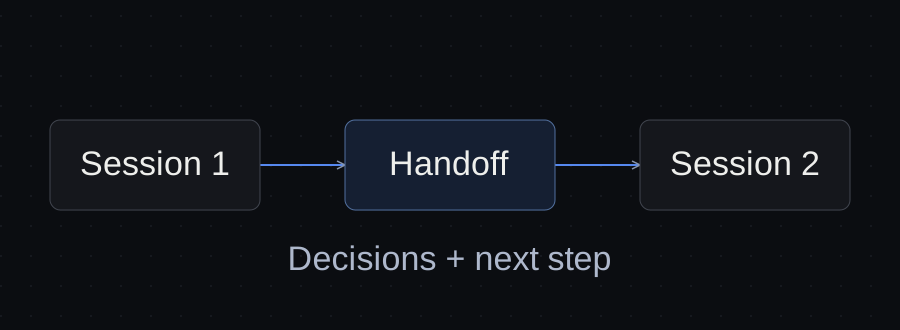
“Continue where we left off” is a fragile instruction when the next session cannot tell what was finished, which file is current or what you decided not to build.
A useful handoff gives the next worker a small, verifiable starting point: the objective, the current output, the decisions that still apply, the unresolved questions and one next action. Keep the supporting material accessible, and ask the next worker to confirm that it has found the right state before editing.
The aim is not to preserve every message. It is to preserve the information needed to continue correctly.
Separate the different kinds of context
There are several things people mean by “the agent remembers the project”:
| Information | What it helps with | What it does not establish |
|---|---|---|
| Conversation history | The previous discussion | That its latest suggestion was approved |
| Project instructions | Stable conventions and constraints | The current state of every task |
| Working files | The actual material and outputs | Why a decision was made |
| A handoff note | Where to resume and what remains open | That the files are available or still unchanged |
Claude Code provides both project instructions and auto memory. Anthropic describes these as context rather than enforced configuration; auto memory is also machine-local. A portable handoff should therefore point to explicit project material and state what must be checked. How Claude remembers your project.
Do not assume that writing a note makes every agent load it. Tell the next session which note and supporting files to read.
Start with the next action
A chronological summary often buries the most useful instruction at the bottom.
Compare these handoffs:
We worked on the website proposal, discussed booking, updated the draft and looked at the service pages.
Next: check whether the Contact section still implies a custom booking flow. The approved scope uses a link to the existing booking service. If the wording conflicts, revise the proposal draft and leave the commercial terms unchanged.
The second version tells the next worker what to inspect, what decision governs the work and where to stop. It still needs the file location and evidence, but it is already easier to act on.
A filled example
Northline is a fictional client. The following note is a worked example, not a claim about a live agent test.
Project: Northline website proposal.
Objective: prepare a proposal for Home, About, Services, Service detail and Contact pages.
Current output:
outputs/proposal-draft-v2.md. Draft exists; client approval is pending.Approved scope: link to the existing booking service. Do not include building an embedded booking system.
Open issue: the Contact section has not yet been checked against that scope.
Next action: inspect the Contact section and flag or correct any custom-booking promise.
Checks still needed: page list, booking scope, unsupported prices and guarantees.
Boundary: prepare the draft only. Do not send it to the client or change the commercial terms.
The paths here are examples. In your project, replace them with files that actually exist and that the next session is authorized to access.
Notice the difference between “draft exists” and “draft approved.” Notice also that a scope decision is separate from an unchecked section. Those distinctions prevent the next agent from treating unfinished work as settled.
Preserve decisions that limit the work
A handoff that only lists what to add can lose the choices that keep a project manageable.
Record exclusions when they affect the next task. For Northline, the booking decision matters because “make the Contact page more useful” could otherwise become a new feature proposal.
Write the decision, its status and its practical effect:
Approved by the project owner: use the existing booking link. Effect: remove promises of a custom booking flow from the proposal.
If the client has not approved it, say “proposed” or “awaiting client decision.” An agent’s recommendation is not approval.
Ask the next session to confirm before it acts
Use a short opening instruction:
Read the handoff and its referenced files. Before changing anything, state the current output, the governing booking decision, the next action and any missing material. If the files disagree, explain the conflict and ask which source is current.
This creates a checkpoint you can inspect. It does not guarantee perfect understanding or enforce permissions.
If the agent names an old output or describes the booking scope incorrectly, correct that before it writes a new version. Otherwise, a polished result may simply be a polished continuation of the wrong starting point.
Resume a session or start a new one?
If you are continuing the same task in the same environment, resuming the relevant saved conversation may be the simplest option. Claude Code documents claude --continue for the latest conversation in the current directory and claude --resume for choosing a session. Session documentation.
A handoff remains useful when you start a fresh conversation, change tools, move machines or need someone else to understand the work. It describes the project state without requiring that person to reconstruct the entire transcript.
Changing tools is a separate question from resuming a conversation. A note can transfer facts and references, but it does not transfer login state, tool access or a model’s hidden working state. Verify the destination environment before treating the handoff as complete.
Check whether the handoff is sufficient
Use the filled example above as a simple reading exercise. Without looking at an earlier conversation, a new worker should be able to answer:
- What is the current deliverable?
- Is it accepted or still awaiting review?
- Which booking approach is approved?
- What should be checked next?
- Which actions are outside the task?
The example provides those answers. It does not prove that an agent will retrieve them reliably. To test your real workflow, start a fresh session with only the authorized note and referenced files, then compare the agent’s answers with the actual project state.
Check the resulting work as well. Repeating the note correctly is useful, but the agent must also apply the decision to the deliverable.
Update at meaningful changes
A handoff becomes misleading when the project moves on and the note does not.
Update it when the current output changes, a decision is approved, a blocker appears or the next action changes. Keep longer history elsewhere if it is useful. The handoff should describe the current starting point.
Before ending work, ask for the note to be updated from the actual files and unresolved questions. Then inspect it. A summary generated from memory can still omit the decision you most need to preserve.
The best handoff lets you open the right material and take the next step. Its value comes from being specific, current and checkable.
Sources and verification
Primary documentation linked in this guide was read on October 10, 2026. Provider instructions describe documented behavior; the illustrated client workflow has not been tested with a live agent. Check current account rules before relying on them.
Templates, without the signup.
Fill these from the actual files and decisions. A written boundary does not enforce access control.